
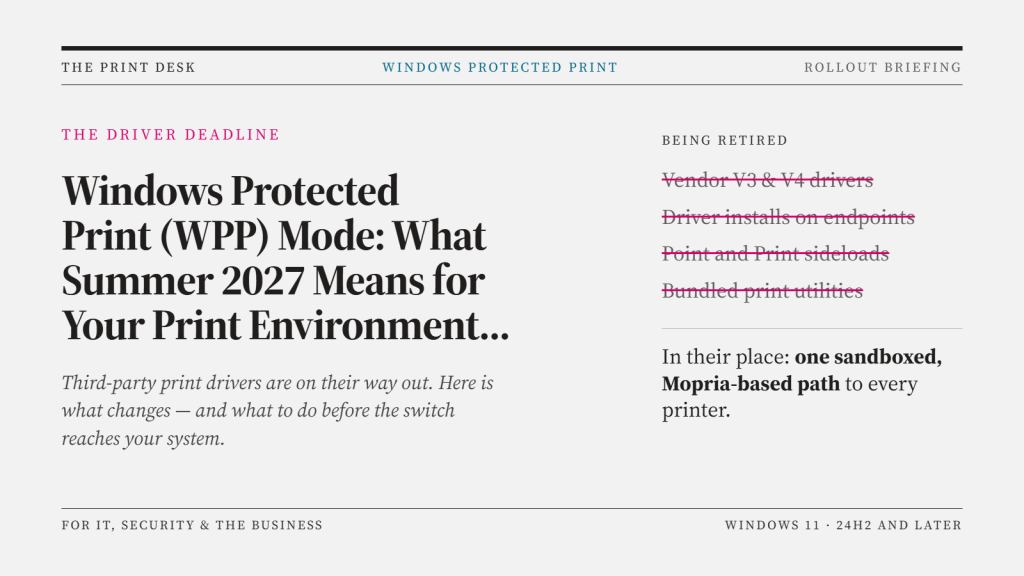
If your organisation still relies on manufacturer-supplied printer drivers, next summer marks a genuine turning point. On 1 July 2027, Microsoft’s phased rollout of Windows Protected Print Mode (WPP) reaches the point where third-party printer driver updates are largely cut off — except for security fixes. For IT teams, print vendors, and anyone managing a mixed fleet of office printers and MFPs, this is the milestone that turns a “something to plan for” into “something to have already sorted.”
Here’s what’s actually changing, why it matters, and how to get ahead of it.
What is Windows Protected Print Mode?
WPP is Microsoft’s answer to years of security issues in the Windows print stack. The Print Spooler service has long been a favourite target for attackers — it runs with high privileges, and vulnerabilities in it played a role in incidents like Stuxnet and PrintNightmare. Microsoft’s own research found that print-related bugs account for roughly 9% of all cases reported to its Security Response Center.
WPP addresses this by removing third-party drivers from the equation entirely. Once enabled, a Windows device will only connect to Mopria-certified printers using Microsoft’s built-in IPP (Internet Printing Protocol) class driver. There’s no fallback to vendor-specific drivers, no custom port monitors, and no legacy DLL-based printer port code that attackers have historically abused. In exchange, Microsoft says WPP mitigates more than half of the historical print-related vulnerabilities it has tracked.
The rollout timeline
This isn’t a single switch-flip — Microsoft has been staging the change for several years:
- September 2023 – Microsoft announced the end-of-servicing plan for legacy third-party print drivers.
- January 2026 – New third-party printer drivers stopped being published to Windows Update for Windows 11 and Windows Server 2025 and later.
- July 2026 – Windows began prioritising the built-in IPP class driver by default whenever a printer is added, even on systems where WPP itself isn’t switched on.
- July 2027 – The next major milestone: third-party driver updates will be limited to security-related fixes only. Existing drivers won’t stop working overnight, but the ongoing vendor support most IT teams take for granted effectively ends here.
WPP itself remains an opt-in setting for now (via Settings or Group Policy), but Microsoft has signalled it intends to make it the default in future Windows releases — so the direction of travel is clear even before that happens.
The key impacts to plan for
1. Non-Mopria printers will stop working the moment WPP is enabled.
Any device that isn’t Mopria-certified is dropped as soon as protected print mode is switched on. Older or lower-end MFPs, in particular, may never have been through Mopria certification, so an inventory check now avoids a nasty surprise later.
2. Existing print queues and drivers get wiped.
Turning on WPP removes any incompatible printers, queues, and drivers already configured on the machine. Compatible devices can be reinstalled through the modern IPP stack, but it’s a disruptive one-way process — not something to trigger without warning users first.
3. Advanced features disappear without a Print Support App (PSA).
The generic IPP class driver covers basic printing well, but loses the finer controls many offices rely on — stapling, hole-punch, tray selection, secure/user-code release, and similar finishing options. To restore them, each device needs a manufacturer-specific Print Support App, installed via the Microsoft Store, deployed through tools like Intune, or provided directly by the printer vendor.
4. IT teams lose long-standing flexibility.
Driver customisation, vendor management tools, and manual port configuration have underpinned print administration for years. WPP moves that control away from IT and into Microsoft’s standardised stack — which is good for consistency and security, but means some workflows will need rebuilding rather than just reconfiguring.
5. Vendors are racing to catch up.
Printer and MFP manufacturers are building or updating their own PSAs to plug the functionality gap WPP creates. The maturity of these apps varies significantly by vendor and model, so it’s worth checking directly with your printer manufacturer or reseller about PSA availability for your specific fleet before you rely on WPP compatibility claims.
What to do before summer 2027
- Audit your printer fleet for Mopria certification status — don’t assume; check.
- Export your current printer, driver, and port configuration (a simple Get-Printer PowerShell export is a good starting point) before enabling WPP on any test machines.
- Pilot WPP on a small group first, ideally alongside whichever PSA your printer vendor recommends, to confirm finishing features and secure print still work as expected.
- Talk to your managed print or IT support provider about replacement timelines for any non-compliant devices — budgeting for hardware refreshes now is far less painful than doing it reactively in 2027.
- Keep an eye on vendor PSA releases through 2026, since functionality is still catching up to Microsoft’s roadmap.
The bottom line
Windows Protected Print Mode is a genuine security improvement, closing off a class of vulnerabilities that has caused real damage for over a decade. But the July 2027 milestone means the safety net of ongoing third-party driver support is coming off. Organisations that treat this as a 2027 problem to solve in 2027 are likely to find themselves scrambling. Those that audit their print environments now — and start conversations with their printer vendors and IT support partners today — will barely notice the transition when it arrives.
Contact us to see how we can help.